NOTE: To approve a PPAP, you must be assigned as the PPAP Approver, or have NPI Master role.
PPAP/FAI → Ongoing PPAPs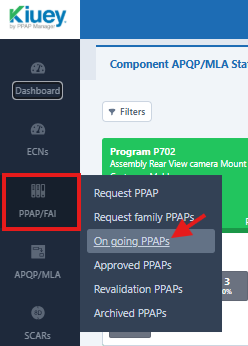
Click the PPAP Details button for the applicable PPAP.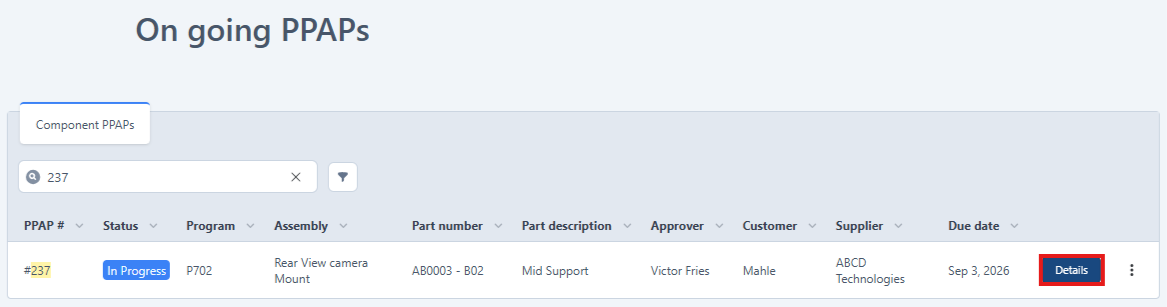
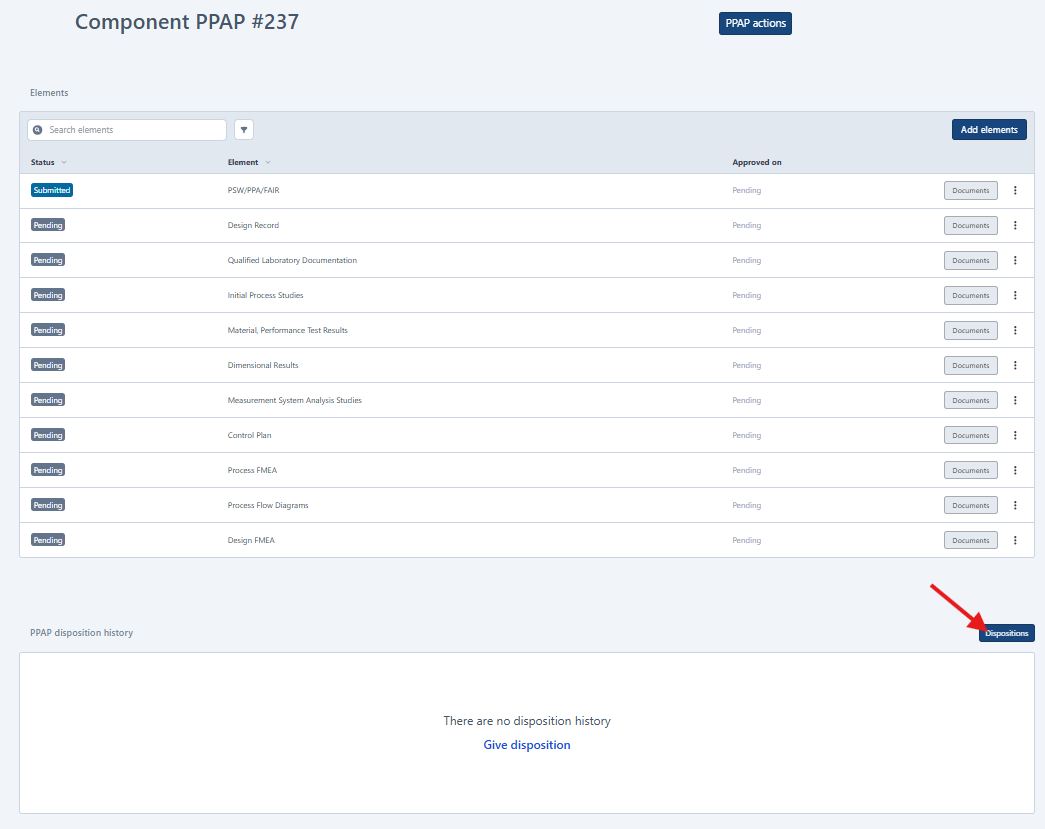
2. Click the Disposition button and complete all required fields (*).
IMPORTANT: To fully approve a PPAP, all PPAP elements must first be in an Accepted status. If any elements have not been accepted, only the Rejected option (and Interim Approval, if configured) will be available.
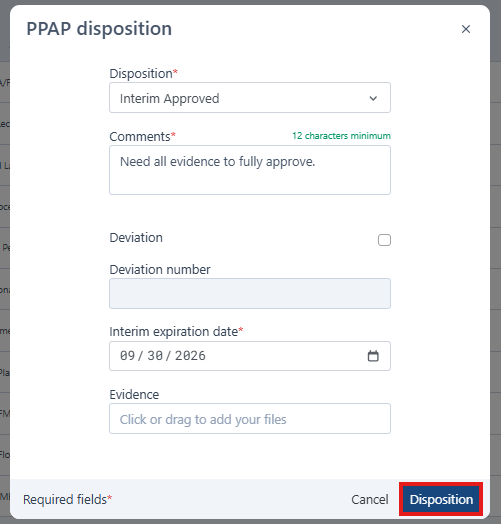
3. After completing all required fields, the Disposition button will become enabled. Click it to submit the disposition.
Was this article helpful?
That’s Great!
Thank you for your feedback
Sorry! We couldn't be helpful
Thank you for your feedback
Feedback sent
We appreciate your effort and will try to fix the article