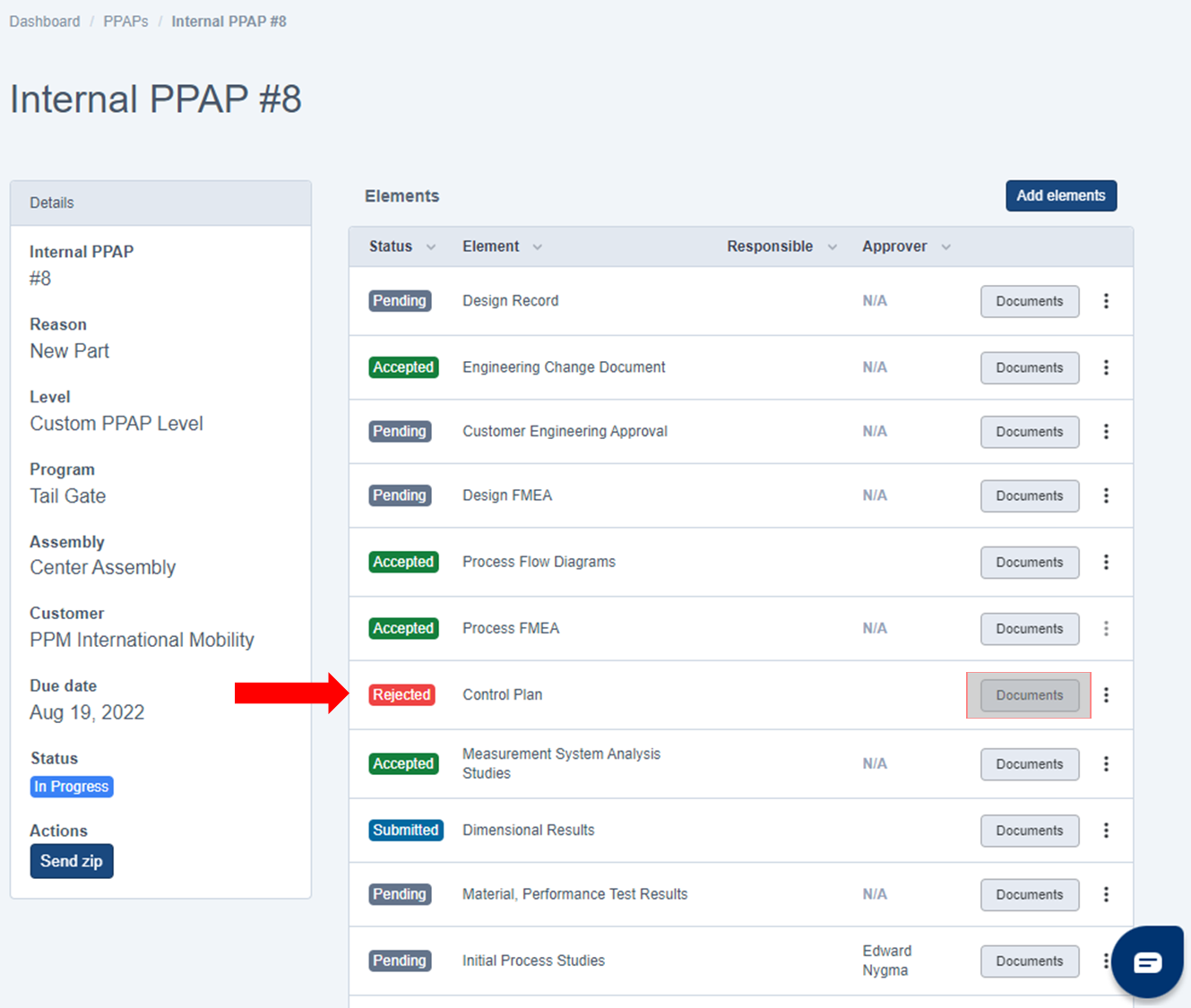
1. Locate the Element you'd like to Correct then click on the Documents Button.
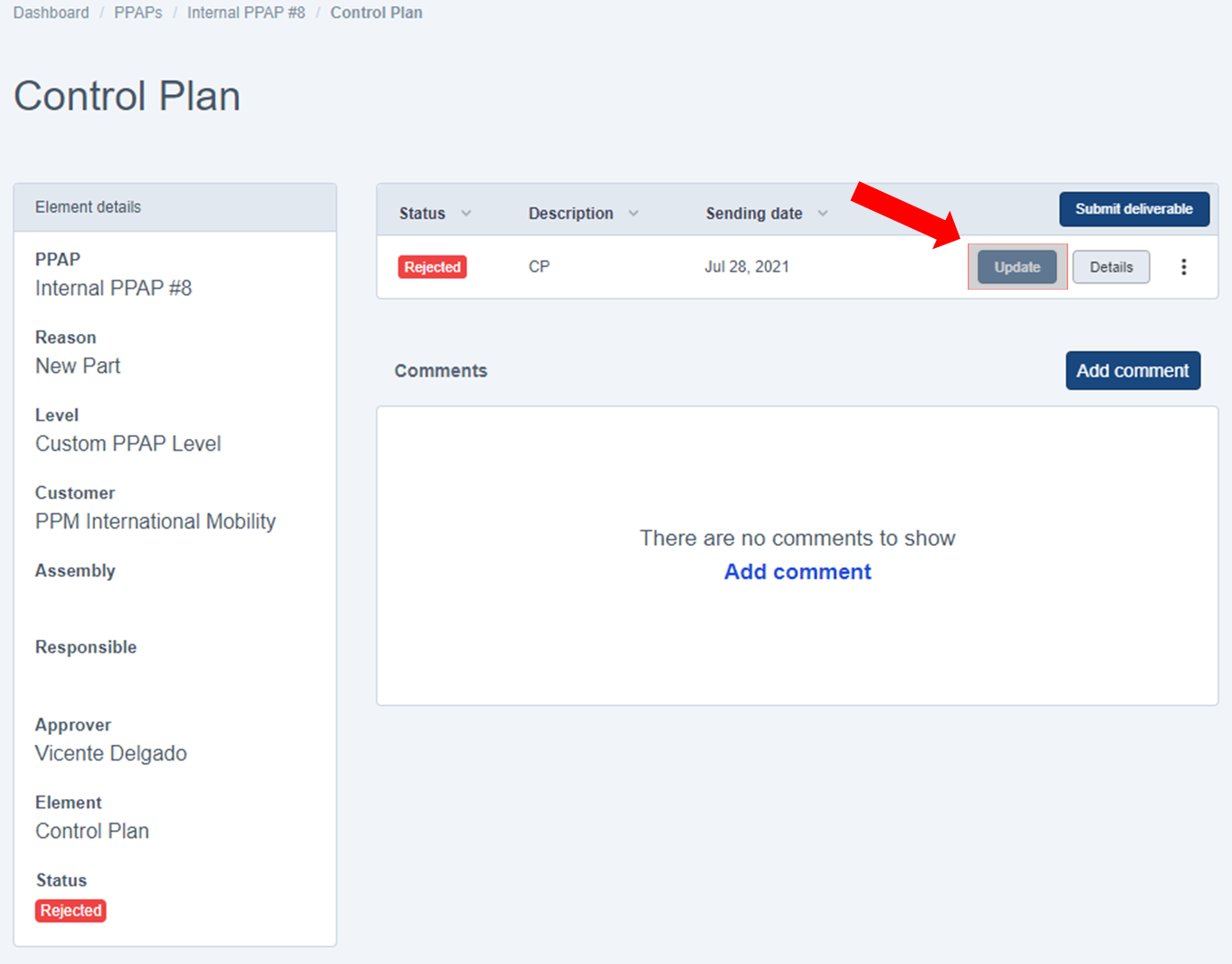
2. Click on the UPDATE button.
IMPORTANT: Do not click on Submit Deliverable, update it instead of uploading a new one.
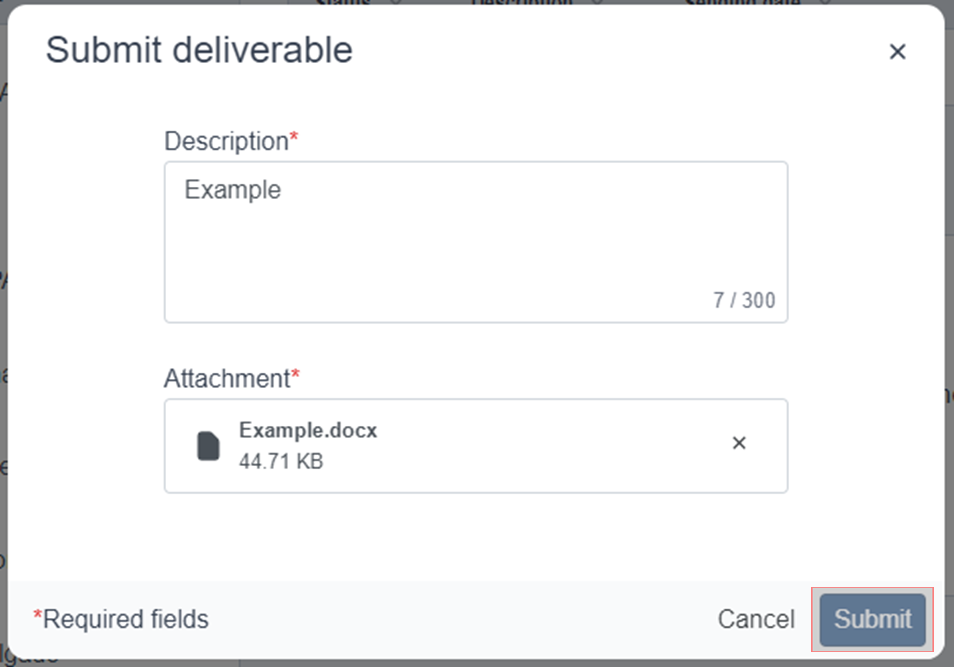
3. Fill out all Required Fields *Description and Attachment, then click on the Submit button to finish correcting the rejected element.
Was this article helpful?
That’s Great!
Thank you for your feedback
Sorry! We couldn't be helpful
Thank you for your feedback
Feedback sent
We appreciate your effort and will try to fix the article