Note: This action can only be performed if you are the PPAP Coordinator for the PPAP or if you have the NPI Master role assigned. Users without either of these permissions will not be able to edit the due date.
- PPAP/FAI Tab and Select Ongoing PPAPs
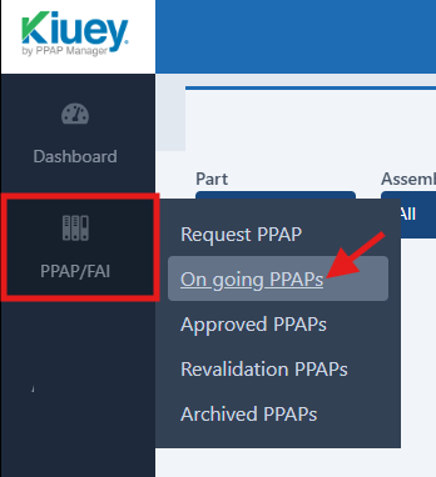
- Locate the PPAP to be updated
- Click the three-dot menu (⋮)
- Select Edit

- Update the Due Date
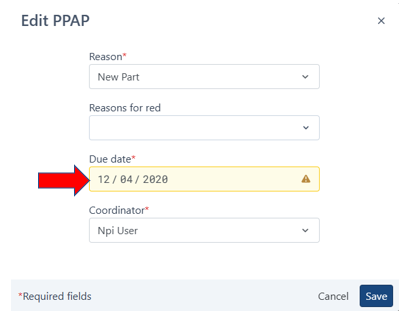
- Click Save
Was this article helpful?
That’s Great!
Thank you for your feedback
Sorry! We couldn't be helpful
Thank you for your feedback
Feedback sent
We appreciate your effort and will try to fix the article